
Butler
A cloud platform for managing a home in a residential complex


Apartments
17,011
with Butler intercoms in 27 complexes
Users
≈25,000
active per month across all complexes
Developers
8
installed Butler in their complexes
Context and goal
Managing a home in one place
ITFrog builds cloud solutions for IP intercoms. Its Butler platform for new buildings combines an intercom with a screen in every apartment, a resident mobile app, a property manager admin panel, and info screens in the entrances. A developer buys Butler for its complex and hands it to residents along with the apartment. It is a white-label product: the app and the intercom carry the developer’s brand.
Developers attract buyers with amenities. Gated, guarded grounds, a car-free courtyard, a quick call to a technician through the property manager.
To offer this, complexes install systems from different manufacturers. Access control, video surveillance, metering, and the smart home don’t talk to each other, and each has its own app. In the end, a resident has the lights, the sensors, and the call to a dispatcher in separate apps.
Butler’s task was to connect these systems, so that a resident could use all of the complex’s amenities from the intercom in the apartment or from one app on the phone. At the same time, every complex is different, and each has its own set of features.
What I designed
One system for residents and the property manager
I joined ITFrog in 2019, when Butler was just taking its current shape, and designed all of its interfaces. The intercom and the admin panel came first, and the app appeared a little later. All devices share one structure and differ only in the set of features.
The intercom sits in every apartment. Residents use it to answer calls from the entry panel and open the door, read messages from the property manager, and check the meters, if they are connected.
The phone mirrors the intercom, wherever the resident is, at home or away. A call from the entry panel comes to the app, and the resident opens the door for a guest or courier. The door can also be opened without a call. Instead of a key or card, the apartment owner can turn on a Bluetooth key in the app, and the door opens by itself when they walk up to it.
A guest can be sent a temporary code by text or messenger in advance. The guest enters it on the entry panel and reaches the apartment without a call. The resident sets how long the code is valid in the app, within the limits the developer has set. The guest can be picked from contacts, and the code can be labeled to remember who it was given to.
Residents add meters and sensors to the app themselves. If a sensor goes off, the app sends a notification right away.
The property manager works in the admin panel. Through it, dispatchers and concierges take residents’ requests and passes, reply to them, and send notifications to the app and the info screens in the entrances. The property manager also assigns roles to staff there, and a developer can run several of its complexes in one panel.
In the app, a resident sees only what their building has. The screens in this case study were rebuilt for a neutral brand. The interface is in Russian, the language of the product.
Feedback
Residents care most about answering calls and watching cameras
The first complexes got an interface built around the features the developer ordered. While a building isn’t handed over, there are no residents in it, so I collected feedback in complexes where people had already moved in.
- Intercom logs.
- App analytics.
- Residents’ requests to the property manager.
- Surveys in complex groups on social networks.
- Conversations with residents and property managers in the complexes, about 20 in all.
The main conclusions came from the logs and analytics. They showed that residents most often answered calls from the entry panel and watched cameras, and the rest was an extra.
Most complaints were about the technical side. A camera didn’t show a picture, a door didn’t open. Residents rarely complained about the interface, so we didn’t rebuild it all. We refined it in spots, where the data and the complaints pointed to something inconvenient.
Property managers asked us to take some of the load off dispatchers. Many calls were about technician visits and car passes.
Improvements
The interface was refined around what residents use
These changes came out of the feedback and were then carried over to the next complexes.
Cameras in the navigation bar. In the first version, the intercom’s cameras were hidden in a menu, although the statistics showed they were watched very often. There are cameras at every entry panel, in the parking lot, on the playground, and in the courtyard. I moved them to the intercom’s navigation bar, and in the app they became a separate item too.
Cameras
Viewing
Residents choose where a call goes. Some answered only on the phone, others used both devices. So a call can be routed to the intercom, to the phone, or to both at once.
“Do not disturb” instead of muting. The intercom’s volume could be turned down or the sound turned off completely. In their requests, residents wrote about two problems. In the daytime, while children slept, they turned the sound off, forgot to turn it back on, and missed calls. At night, accidental calls woke them up when someone got the wrong apartment.
I added a “Do not disturb” mode. The resident turns it on from the intercom’s home screen and picks a duration. While it’s on, the intercom doesn’t accept calls. If the call is also set up for the phone, it goes straight to the app, and if not, there will be no call. Then the intercom returns to normal, and missed calls show in the history.
A car pass without calling the dispatcher. In many new complexes, the courtyard is car-free. To let a car in, for example one with furniture, a resident called the dispatcher, who could be busy or away. I moved the pass into a separate request in the app, with the car number and time. All of the property manager’s dispatchers see the request, and whoever is around will handle it. If a pass is rejected, the reason shows in the request.
Launch and result
A new complex got a tested set of features
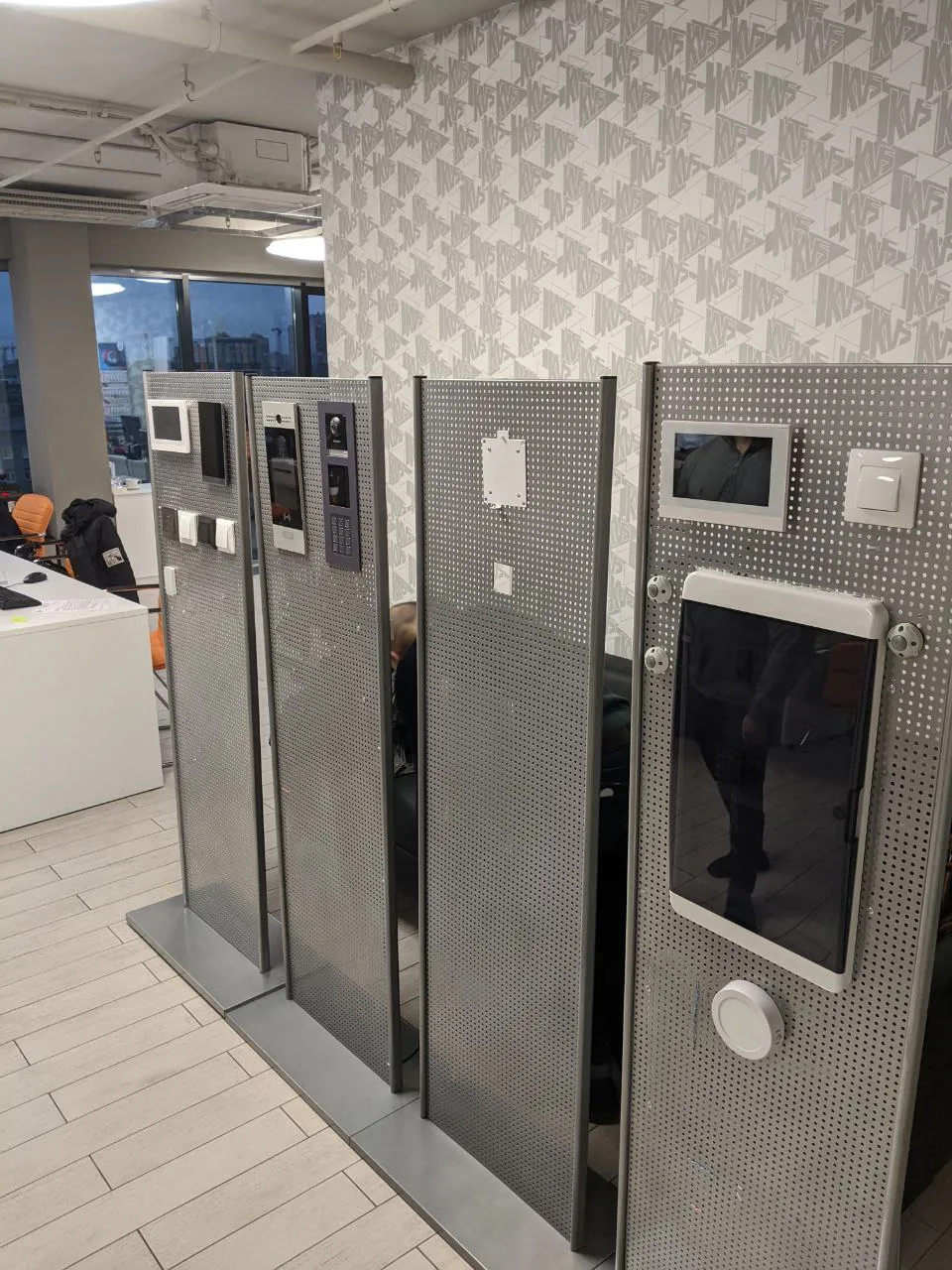
Before installation, every intercom was checked on a test bench, and updates then arrived remotely. When residents moved in, the property manager gave them access to the app.


The set of features for a new complex was proposed from the statistics of earlier complexes. If a developer wanted it differently, we showed them that data.
Developers came back with new complexes. Eight developers installed Butler in 27 complexes, intercoms are in 17,011 apartments, and there are about 25,000 active users a month.